Shoot, caption, send: Dispatches in two and a half minutes
One real assignment, from the memory card to the agency's server and social media, done on an iPhone with Dispatches. No laptop at any point.
 Play the video
Chapters
- 0:00 Shoot, caption, send
- 0:26 Importing the shoot
- 0:51 Writing the brief and captions
- 1:18 Checking and culling
- 1:31 The sending workflow
- 1:47 Sending
- 2:12 Download Dispatches
What the video shows
- Import off the card, filtered. The SD card is filtered to the frames starred in camera (23 photos), grouped into one event and matched to the calendar entry for the job. Import, step by step.
- Captions from a brief. The brief starts from the calendar entry. Dispatches drafts a headline, caption, title and keywords, every field editable, then writes them into every photo as IPTC. What IPTC is and how to add it on an iPhone.
- Check, rate, tag, edit. Each frame is rated, flagged and tagged for the wire or social, with a quick exposure lift on the phone. Culling, step by step.
- One workflow, every destination. A saved workflow resizes and uploads the captioned photos to the agencies' FTP servers, and makes smaller copies for each social network. How to send photos to FTP from an iPhone.
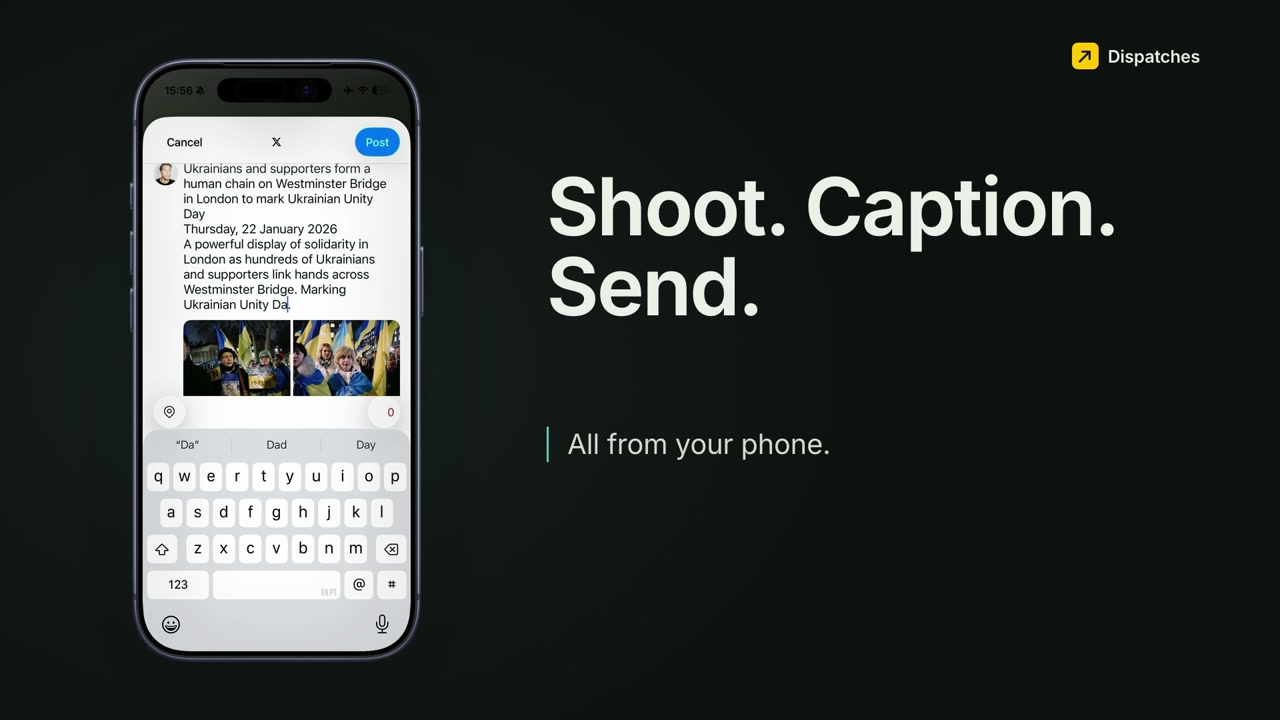
- Social hand-off. Each network opens in turn with its photos attached and the caption already copied, ready to paste: Bluesky, Mastodon, Threads and Instagram.
Transcript
0:00The shoot's over, and the desk wants your pictures now. Shoot. Caption. Send. All from your phone.
This is Dispatches, an iPhone app for working photographers and photojournalists. It's a photo desk in your pocket. Import, cull, caption and send, and keep proof that it landed. Here's a real assignment, from the memory card to the picture desk.
0:26Start by importing, straight off the SD card or from your camera roll. Filter the card down to what you want. Here, it's the frames starred in camera: 23 photos. Dispatches groups them into an event and matches it to your calendar, so on a day with two jobs, the photos go to the right one. A few seconds later, they're imported.
0:51Now the captions. The brief starts from your calendar entry: the event, the time and your notes. Or just say what happened. Online captioning is off by default, and it never sends your photos. Dispatches drafts a headline, a caption, a title and keywords. Everything stays editable. Apply it, and it goes into every photo as proper IPTC metadata.
1:18Open any frame to check it. Rate it, flag it, and tag where it's going: the wire, or social. You can make quick edits on the phone too, like lifting the exposure.
1:31Then send. A workflow is your recipe for sending, and you can change it any time. This one sends every photo, resized and captioned, to the agencies' servers. And it makes smaller copies for each social network.
1:47Tap send, and the whole workflow runs. The server upload shows live progress, file by file. For social, Dispatches hands each post over to the app. You pick it from the share sheet. The photos come across, and the caption's already copied. Just paste. Then the next network: Bluesky, Mastodon, Threads and Instagram.
2:12That's Dispatches: shoot, caption and send, all from your phone. Dispatches: Photo Workflow, on the App Store.
Keep reading
- Field notesFiling a protest from Westminster Bridge, without a laptopThe photos in this video come from this job. The same take, written up step by step.
- GuideHow to use Dispatches, step by stepSet up once, then import, cull, caption and send on every job.
- TutorialsAll tutorialsFTP from an iPhone, IPTC metadata, writing captions, and more.
Try it on your next job
Dispatches is on the App Store for iPhone (iOS 26 or later), with a 14-day free trial.